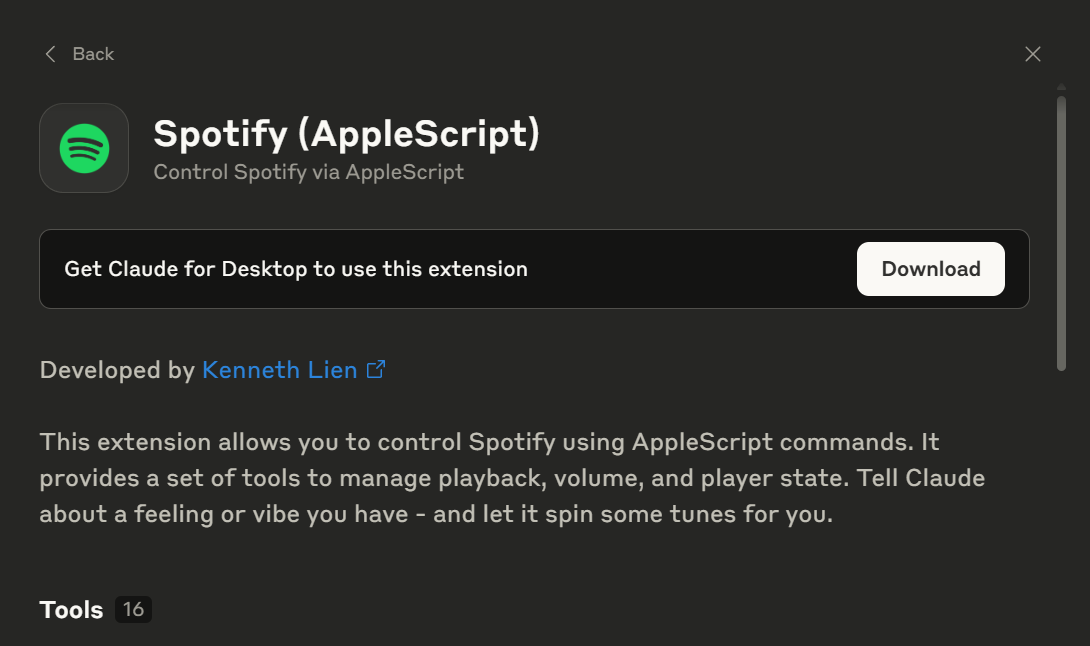
Claude’s integration with Spotify via Connectors (available on Pro and Team plans) allows users to create mood-aware, context-driven playlists using simple prompts. Whether you’re working, exercising, commuting, or brainstorming, Claude can curate and control your Spotify experience in real time. By understanding your intent and routine, it turns music into a dynamic companion, enhancing focus, energy, and emotional flow. The integration emphasizes user control, requiring explicit access permissions, and showcases the future of emotionally intelligent AI in daily life.
In This Article
Share On:
How Claude’s Connectors Are Redefining Listening on Spotify Through Context, Intent, and AI-Driven Curation
Let Your AI Curate the Soundtrack to Your Day
What if your music app could bring back a song you’d long forgotten, or surface a tune you heard once but could never find again? What if it understood your mood without you saying a word?
That’s the promise behind Claude’s Connectors with Spotify.
Music shapes how we focus, feel, and flow. With Claude now connected to Spotify through the Model Context Protocol (MCP), your AI assistant can generate playlists tailored to your mood, whether you’re deep in work or winding down after hours.
Let us explore how this integration works, the real-world use cases it unlocks, and why mood-aware AI agents are redefining digital experiences.
Getting Started: How to Connect Spotify to Claude
To use Spotify with Claude, you’ll need access to Claude’s Connectors, available on Pro and Team plans. Once enabled, Connectors allow Claude to securely access and interact with third-party tools, such as Spotify, using the Model Context Protocol (MCP).
Here’s how to set it up:
Go to Claude.ai and sign in with a Pro or Team subscription.
Navigate to Settings → Connectors.
Locate Spotify in the list of available tools.
Click “Connect” and authorize access via your Spotify account.
Once connected, return to your Claude chat window. Spotify will now be an active, context-aware tool that Claude can use on request.
Note: Claude will only access Spotify features you explicitly allow. You can revoke or manage access at any time through the Connectors dashboard.
Claude’s integration with Spotify, enabled through Claude’s Connectors (available on Pro and Team plans), goes beyond basic playback. It allows your AI assistant to understand your intent, match your mood, and control Spotify through natural language.
Whether you’re easing into your morning, diving into deep work, or setting the tone for creative flow, Claude can automatically orchestrate the soundtrack to your day. Below are real-world use cases and ready-to-use prompt templates to enhance your Spotify experience.
1. Mood-Setting Prompts for Daily Flow
A) Prompt: “Good morning. Play something energizing but not too loud for my morning routine.”
Claude will: Create and start a playlist like ‘Morning Boost’, upbeat yet mellow, and begin playback in Spotify. Claude may also ask if you’d like it scheduled daily.
B) Prompt: “Set a playlist for my 30-minute commute with a positive vibe.”
Claude will: Generate a 30-minute mood-lifting playlist featuring artists you’ve liked or similar genres. It plays automatically in Spotify, and Claude confirms the duration and first track.
C) Prompt: “Start a gentle playlist and remind me to hydrate after 20 minutes.”
Claude will: Start soft ambient or acoustic music and schedule a reminder in your system (via Calendar or Notes connector) to notify you in 20 minutes.
2. Deep Work or Study Focus
A) Prompt: “I have 2 hours of focused writing. Play ambient music with no lyrics.”
Claude will: Start a 2-hour ambient instrumental playlist featuring artists like Max Richter or Nils Frahm, depending on your interests and previous listening preferences. Claude ensures no lyrical interference and optimizes playlist length
B) Prompt: “Start a deep focus session with lo-fi beats and remind me to stretch after 90 minutes.”
Claude will: Play lo-fi tracks suitable for concentration and set a stretch reminder (via Notes, Calendar, or Notification integration) after 90 minutes.
3. Workouts & Physical Activity
A) Prompt: “Play a high-energy playlist for a 30-minute strength session.”
Claude will: Start a workout-focused playlist with motivating tracks (hip-hop, pop, EDM), and adjust tempo to match reps and rest intervals.
B) Prompt: “Create a structured playlist: warm-up (10 min), HIIT (20 min), cooldown (10 min).”
Claude will: Segment a 40-minute playlist into warm-up, high-intensity, and cooldown blocks, cueing transitions smoothly in Spotify.
4. Creative Brainstorming
A) Prompt: “Start a playlist for brainstorming, something upbeat, instrumental, and imaginative.”
Claude will: Start a diverse, instrumental playlist with global, jazz, electronic, and ambient tracks that stimulate creativity without distracting vocals.
B) Prompt: “Play lo-fi electronica during our product design sprint.”
Claude will: Start a 90–120 min lo-fi electronic mix, designed to be in the background during extended creative collaboration.
5. Integrated Workflows
A) Prompt: “Play soft jazz for background focus, then summarize today’s notes from Google Drive.”
Claude will: Start a jazz playlist, retrieve the linked Google Drive note, summarize it, and display the key points inline, all in one thread.
B) Prompt: “Start a productivity playlist, then check comments in Figma and organize them.”
Claude will: Play focus music, access the Figma file (if connected), pull open comments, and organize them by urgency or area.
6. Discovery Mode
A) Prompt: “What can I do with Spotify through you?”
Claude will: Return a contextual menu (text-based), listing music curation, playlist generation, tempo adjustments, mood matching, and workflow syncing options.
B) Prompt: “Help me set up a music routine that changes throughout the day.”
Claude will: Ask for your daily schedule and build a playlist routine: calm in the morning, high-focus midday, and mellow evening tracks, optionally with recurring tracks.
Claude’s Spotify integration isn’t just a productivity hack; it’s a preview of how AI will shape emotionally intelligent systems. Music is deeply human, and when an AI like Claude can interpret your intent, match your energy, and curate soundscapes to support your day, you’re experiencing something beyond automation.
Whether you’re in deep focus, easing stress, brainstorming big ideas, or simply trying to re-center, Claude acts not just as an assistant but as a responsive companion. By combining contextual intelligence with tools like Spotify, Claude transforms playlists into intentional experiences.
This isn’t about playing music. It’s about orchestrating moments.
Conclusion: Your Soundtrack, Now AI-Aware
From solo work sprints to collaborative brainstorming and mindful breaks, Claude’s Spotify Connector redefines what’s possible when music meets context.
With just a prompt, you can:
Align your sound with your workflow.
Build routines with intelligent automation.
Reduce friction between thought and action.
And as connectors grow, so will your AI’s ability to sync every layer of your life, with music as both companion and catalyst.
Heads up: This is just one way Claude’s Connectors are reshaping how we work. Explore the complete Claude Connectors series.
If you’re exploring how AI automation can elevate your business processes beyond music, dive into our AI-led Automation Blogs for practical insights, use cases, and frameworks.
Your Data, Your Rules
All Claude Connectors are designed with consent and control in mind. Claude never accesses third-party tools or data without your authorization, and you can view, manage, or revoke access at any time.
Claude serves as a high-speed editor for audio insights. A Fractional CMO can use Claude to analyze transcriptions of top-performing industry podcasts on Spotify to identify trending topics. From there, the AI can draft hyper-relevant podcast ad scripts or sponsor segments that align perfectly with the audience’s current interests and listening habits.
Data-Driven Brand Soundscapes
Music is a powerful psychological trigger for brand identity. We use Claude to curate strategic Spotify playlists that reflect a brand’s persona or campaign theme. By analyzing track metadata and lyrical sentiment, a Fractional CMO can build “Vibe Loops” that enhance customer experience at physical locations or as part of digital community engagement efforts.
Analyzing the “Share of Ear”
Claude can process Spotify chart data and category trends to help brands understand their competitive audio landscape. By identifying which audio formats and hosts are gaining traction, a Fractional CMO can make data-backed recommendations on where to allocate audio advertising spend, ensuring your brand captures maximum attention in the growing earshare market.
FAQs
Q1: Do I need a paid Spotify account to use Claude’s Spotify Connector? Yes, a Spotify Premium account is typically required to access full playback features via external APIs, such as Claude’s Connector.
Q2: Is this integration only available on Claude Pro or Team plans? Yes. Connectors, including Spotify, are available to users on Claude’s Pro and Team subscriptions only.
Q3: Can I create shared playlists for my team or collaborators? Claude can help generate and suggest playlists, but collaborative playlist editing depends on Spotify’s native sharing features.
Q4: What if I don’t want Claude accessing specific Spotify data? You can manage or revoke Claude’s access to Spotify anytime from the Connectors Dashboard in your Claude account settings.
Q5: Does Claude work with other music services like Apple Music or YouTube Music? Currently, Spotify is the primary supported music integration. Other services may become available as more Connectors roll out.
For Curious Minds
The Model Context Protocol (MCP) acts as a secure and intelligent bridge, allowing Claude to understand and interact with Spotify beyond simple commands. It enables the AI to access your listening history and control playback with a deep understanding of your current context, such as your mood or activity. This is crucial because it transforms music curation from a reactive process to a proactive, personalized one. The AI doesn't just find a song; it anticipates the right soundtrack for your moment.
This technology provides several key advantages:
Secure Data Exchange: MCP ensures that Claude only accesses the Spotify features you explicitly authorize, maintaining your privacy.
State Awareness: It remembers previous interactions, allowing for follow-up requests without repeating yourself.
Intent Interpretation: It decodes natural language prompts, like one for a “30-minute commute,” into specific musical attributes.
This foundation allows for a truly conversational and adaptive music experience. Explore the full article to see how MCP is powering the next generation of AI integrations.
Context awareness means Claude understands the 'why' behind your music request, not just the 'what'. Instead of just processing a command, it considers your activity, time of day, and implied mood to deliver a more relevant and useful experience through its Spotify connection. This shifts your interaction from giving direct orders to having a conversation with a helpful assistant that anticipates your needs. You are no longer just a user searching for music; you are directing an experience. This capability transforms your music library from a static collection into a dynamic tool that adapts to your life, whether you need a playlist for a 2-hour deep work session or a gentle morning routine. Discover how this deeper understanding makes daily activities more focused and enjoyable by reading the full piece.
Claude’s AI-driven approach excels at speed and discovery, while manual curation on Spotify offers precision and personal attachment. Using Claude for a 2-hour writing session eliminates decision fatigue by instantly generating a suitable playlist, whereas building one yourself takes time you could be using to work. The best method depends on your immediate goal. If your priority is immediate focus and avoiding distraction, the AI approach is superior.
Consider these factors when choosing:
Time Investment:Claude is nearly instant; manual curation can take 15-20 minutes.
Discovery vs. Familiarity: The AI can introduce new instrumental artists, while a manual list relies on music you already know is effective.
Adaptability:Claude can generate a new playlist for every session, preventing auditory boredom.
Ultimately, a hybrid strategy may be most effective. Uncover more ways to blend AI efficiency with personal preference in our complete guide.
Claude translates subjective, human language into concrete musical attributes by analyzing multiple data points. When you request something “energizing but not too loud,” it deconstructs the phrase to understand your true intent, going far beyond simple keyword matching. It deciphers the underlying need for moderate-tempo music with positive melodic structures and no jarring dynamic shifts.
This process involves a few steps:
Semantic Analysis: It identifies “energizing” with a higher tempo (BPM) and “not too loud” with consistent volume and likely instrumental focus.
Historical Preference: It cross-references this analysis with your past listening habits on Spotify to select genres and artists you enjoy.
Playlist Generation: It then queries Spotify’s library for tracks matching these combined criteria, creating a playlist like 'Morning Boost'.
This example showcases how advanced AI makes technology feel more intuitive and human. See what other nuanced prompts you can use by exploring the full article.
This example highlights how the Claude and Spotify integration transforms a mundane part of the day into a seamless, personalized experience. By requesting a playlist for a “30-minute commute,” you are not just asking for music; you are automating a decision and optimizing a fixed time block. The value comes from its ability to perfectly match the duration and mood required for a specific activity. It turns 'dead time' into a deliberately curated part of your day. This moves beyond passive listening to active life enhancement, where the AI handles the mental load of choosing the right soundtrack. This practical application shows that the integration’s true power lies in its ability to support your daily flow, a concept explored further in our complete analysis.
The integration creates a superior focus environment by tailoring the audio specifically to the user and the task's duration. When you ask Claude for a 2-hour playlist, it leverages its Spotify connection to select tracks that are not only instrumental but also maintain a consistent tempo and low dynamic range to minimize cognitive disruption. The AI actively curates an environment free from lyrical or musical distractions. Unlike a generic playlist, this AI-generated soundtrack is personalized based on your listening history with artists like Max Richter and is precisely timed to your work block. This eliminates the need to search for music or get distracted by an unfitting song, ensuring your focus remains unbroken. Discover more prompts designed to enhance professional productivity in the main article.
Activating the Spotify Connector is a straightforward process designed to be both quick and secure. For a Claude Pro or Team user, the setup ensures that you maintain full control over what data the AI can access, which is essential for creating mood-based playlists. The process uses a standard, secure authorization flow common for modern applications.
Here are the precise steps to follow:
Sign in to your account at Claude.ai.
Navigate to the 'Settings' menu and select the 'Connectors' option.
Locate Spotify in the list of available third-party tools and click “Connect.”
You will be redirected to a Spotify authorization page where you must grant permission for Claude to view your activity and control playback.
Once authorized, Claude can analyze your listening history to understand your tastes and generate new playlists. Learn more about managing your connected tools by reading the full guide.
This deep integration signals a fundamental shift from search-based discovery to conversation-based creation. The long-term implication is that music curation will become a dynamic, real-time dialogue between you and your AI, like Claude, rather than a passive consumption of static playlists. Human-curated playlists will likely evolve to serve niche, high-value roles, similar to vinyl records in a streaming world. They will represent expert taste or cultural moments, while day-to-day listening for activities like a 30-minute workout will be dominated by hyper-personalized, AI-generated soundtracks. This trend suggests a future where your music library is infinitely adaptive, constantly reshaped by your mood, location, and immediate needs. Explore the full article to understand how this evolution will impact both listeners and creators.
The Claude and Spotify integration is a blueprint for a future of ambient computing, where AI seamlessly orchestrates your digital life. Powered by frameworks like the Model Context Protocol (MCP), mood-aware agents will extend beyond music to create a unified experience across all your tools. Your AI will act as a central nervous system for your digital self, anticipating needs and coordinating actions between different apps. Imagine an AI that adjusts your smart lighting based on your calendar, suggests dinner recipes from a cooking app based on your fitness goals, or organizes project files automatically based on a chat conversation. This trend points toward a future where you interact less with individual apps and more with an intelligent agent that manages them for you. Delve deeper into the concept of a connected digital ecosystem in the full post.
This integration directly combats playlist fatigue by introducing fresh, real-time context into the curation process. Instead of relying solely on your past listening data, which often creates recommendation loops, Claude uses the specifics of your natural language prompts to explore new pockets of the Spotify catalog. It breaks the algorithmic echo chamber by prioritizing your current intent over your historical habits. For instance, asking for music for a “rainy day of coding” provides a rich context that allows the AI to find tracks you might never encounter otherwise. It solves the problem by: focusing on nuanced moods, connecting music to specific activities, and rediscovering songs you have not heard in years, moving you from passive listening to active, directed discovery. Learn more about crafting effective prompts in the full article.
The Claude and Spotify connection avoids this pitfall by focusing on intent analysis rather than simple keyword matching. When you request a playlist for a 2-hour deep work session, Claude understands the unstated requirements of that activity, such as the need for music without lyrics and with a consistent, non-distracting tempo. It interprets the goal behind your words, not just the words themselves. This is possible through the Model Context Protocol, which allows for a richer exchange of information. Instead of just grabbing a playlist titled 'Focus,' the AI actively filters Spotify’s library based on these implied needs, resulting in a more functional and accurate outcome. This deeper level of comprehension is what sets it apart from older assistants. Read the full post for more examples of its advanced understanding.
Claude moves beyond simple tempo matching by analyzing a richer set of musical metadata from Spotify to curate a playlist that actively supports a physical activity like strength training. A high-energy playlist for a 30-minute session is more than just fast songs; it is a tool for motivation and pacing. The AI considers the functional qualities of the music, not just its genre or speed.
It analyzes specific attributes like:
Energy Score: A metric within Spotify that quantifies a track's intensity, ensuring sustained motivation.
Rhythm Consistency: It selects tracks with a steady and powerful beat to help you maintain a consistent rep cadence.
Danceability: This metric often correlates with strong, clear rhythms that are ideal for synchronized movement.
By using this data, Claude builds a soundtrack that is functionally optimized for your workout. Explore the full article for more advanced fitness-related prompts.
Amol has helped catalyse business growth with his strategic & data-driven methodologies. With a decade of experience in the field of marketing, he has donned multiple hats, from channel optimization, data analytics and creative brand positioning to growth engineering and sales.

 Growth Strategy and Planning