Claude’s integration with Figma Dev Mode enables designers and developers to turn UI designs into production-ready code seamlessly. By accessing Figma files through the Dev Mode MCP Server, Claude can understand the layout, components, and design tokens, then generate clean, context-aware code in formats such as React or HTML/CSS. From identifying inconsistencies to speeding up developer handoff, this Connector enhances every step of the design-to-dev workflow.
In This Article
Share On:
How Claude’s Dev Mode Connector Enhances Figma-to-Code Workflows with Context and Component Awarenessสล็อตเว็บตรง
Let Your AI Understand Design, Not Just See It
Design is only half the equation. Translating clean, intuitive interfaces into code that developers can build is where the real challenge begins.ufa191
With the Claude + Figma Dev Mode integration, that handoff gets smarter. Claude can now connect directly to your Figma files through the Dev Mode MCP Server, turning selected elements, frames, or entire layouts into context-aware code, and preserving design intent at every step.
Whether you’re refining UI components or building full product flows, this integration ensures your AI understands not just the look but the structure behind your designs.
Getting Started: How to Connect Claude to Figma Dev Mode
To use the Figma Dev Mode Connector, you’ll need:
Claude for Desktop (Pro or Team plan).
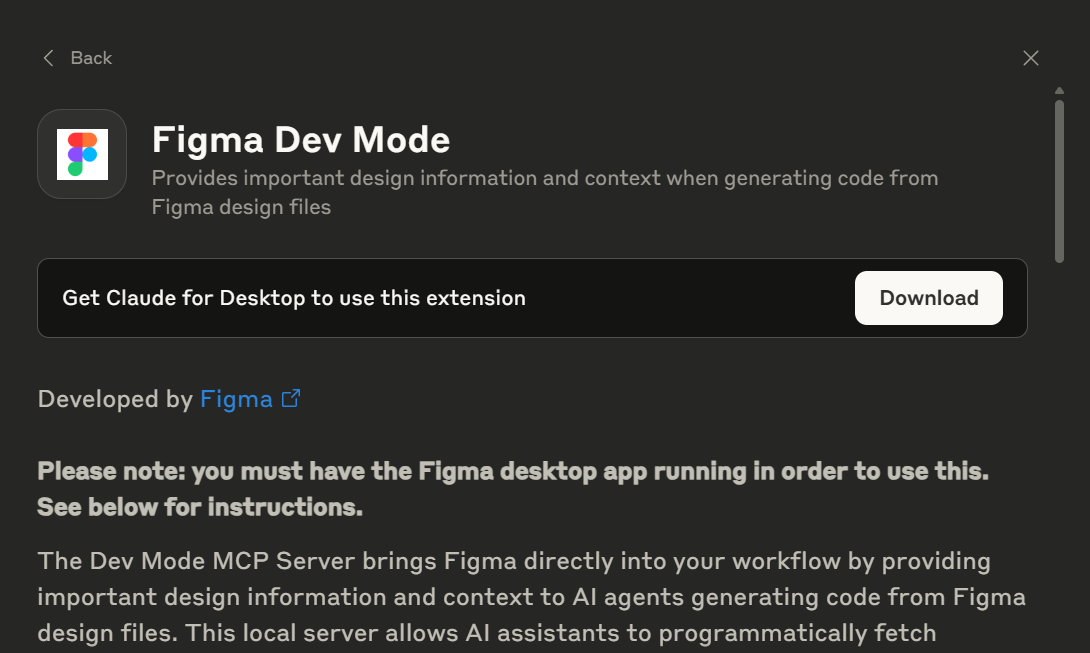
Figma Desktop App (must be installed and running).
Access to Dev Mode in your Figma files.
Setup Steps:
Launch the Figma desktop app and open the design file you want Claude to access.
Enable Dev Mode in your Figma file.
Open the Dev Mode Inspect Panel — you’ll see an option to enable the MCP Server.
In Claude for Desktop, go to Settings → Connectors, and enable the Figma Dev Mode connector.
Claude will now be able to fetch data, generate code, and provide insights from the currently open Figma file.
Note: Authentication is handled automatically through the Figma desktop app; no tokens or API keys are required.
Claude doesn’t just look at Figma screens — it understands what’s inside them. From turning frames into code to interpreting design patterns, here’s how Claude enhances your design-to-dev pipeline:
1. Generate Code from Selected Frames or Nodes
Prompt: “Generate React code for the selected frame.”
Claude will: Detect the selected component in Figma, extract layout, text, styling, and spacing, and return semantically structured React (or HTML/CSS) code that mirrors your design.
2. Extract Variables, Layouts, and Components
Prompt: “What variables and components are used in this section?”
Claude will: List design tokens (colors, spacing, fonts), reusable components, and layout properties in a format developers can reference or convert into code.
3. Compare and Review Designs
Prompt:
“Compare these two frames and highlight UX differences.”ทดลองเล่นสล็อต pg
Claude will: Point out structural, content, or accessibility differences and suggest which version aligns better with best practices or your design system.slot auto walletทดลองเล่นสล็อต
Why This Integration Matters?
Design-to-code has always been a process fraught with friction. Developers often lack context on spacing, components, or naming conventions used in Figma files. Claude’s integration with the Figma Dev Mode MCP Server eliminates this gap.
By allowing Claude to read directly from Figma’s design structure and pull accurate variables, components, and layout information, you get code that’s:
Built using your actual components (via Code Connect).
Context-aware and consistent across screens.
This creates smoother collaboration between design and dev, reducing the need for back-and-forth and revision cycles. It’s not just faster, it’s brighter, cleaner, and better aligned with product intent.ทดลองเล่นสล็อต pg
Claude’s Figma integration reimagines the handoff between design and development. Instead of copying specs, switching tabs, or second-guessing intent, your AI assistant now sits directly in your workflow, reading design context, surfacing components, and generating usable code with precision.
Whether you’re prototyping a new UI or refining production-ready components, Claude ensures that your design decisions translate seamlessly into development output. It’s not just an upgrade to how you code; it’s a more innovative, more aligned way to build digital products.
Heads up: This is just one way Claude’s Connectors are reshaping how we work. Explore the complete Claude Connectors series.
If you’re exploring how AI automation can elevate your business processes beyond design workflows, dive into our AI-led AutomationBlogs for practical insights, use cases, and frameworks that can transform how your team works across product, dev, and beyond.
Your Data, Your Rules
Claude Connectors are built with a privacy-first approach. With the Figma Connector, Claude accesses your local design file only when you explicitly prompt it to do so. No data is stored or shared externally, and the Dev Mode MCP Server runs locally, requiring the Figma desktop app to be open and active. You’re always in control of what’s accessible and when.
Accelerating Design & Strategy with AI at upGrowth.in
AI-Driven Design Conceptualization
The integration of Claude with Figma (via plugins or API) allows for the instant translation of marketing briefs into UI structures. A Fractional CMO can feed Claude a high-level GTM strategy and receive structured component outlines or copy variants that can be directly mapped into Figma, drastically reducing the time spent in the “blank canvas” phase.
Hyper-Personalized Content Iteration
Scaling personalized landing pages is a major bottleneck. We use Claude within Figma workflows to generate multi-persona copy variants in real-time. This allows design teams to preview how different headlines, value props, and CTAs fit within the layout, ensuring that visual design and persuasive messaging are perfectly synchronized before developer handoff.
Automated Audits & Handoff Optimization
Claude’s multimodal capabilities enable it to “read” Figma designs and identify UX inconsistencies or accessibility gaps. By auditing design systems against marketing goals, a Fractional CMO ensures that every element—from color contrast to button placement—is optimized for conversion. This high-fidelity feedback loop prevents costly redesigns during the build phase.
FAQs
Q1: Does this work with the browser version of Figma? No. You must use the Figma desktop app, and the Dev Mode MCP Server must be running locally for Claude to access the file context.สล็อต pg
Q2: Can Claude generate code in specific languages or frameworks? Yes. You can specify the output format—such as React, Tailwind, or plain HTML/CSS—and Claude will structure code accordingly, using Figma’s context as reference.บ้านผลบอล
Q3: What permissions are needed for this Connector? You’ll need to allow Claude to communicate with the local Dev Mode MCP Server, which runs only while the Figma desktop app is open and a file is active.
Q4: Can Claude identify design inconsistencies? Claude can highlight issues such as missing variables, spacing mismatches, or inconsistent components, based on the design metadata it retrieves.ufabet911
Q5: Will this work on shared team projects? Yes, if the shared Figma file is open in your desktop app and you’ve activated Dev Mode, Claude can read and generate from it.
For Curious Minds
This integration creates a direct connection between Claude for Desktop and your Figma files via the Dev Mode MCP Server, allowing the AI to interpret design intent rather than just pixel data. This structural understanding is vital because it moves beyond visual approximation to provide developers with code and information based on the design's source of truth. Instead of guessing at spacing or component names, developers get accurate, context-aware outputs. The integration achieves this by:
Extracting Design Tokens: It reads specific color, font, and spacing variables directly from your file.
Identifying Reusable Components: Claude recognizes defined components, ensuring consistency with your design system.
Analyzing Layout Properties: It understands auto-layout rules, constraints, and structural relationships between elements.
This method of directly accessing design logic produces code that is fundamentally aligned with the product's specifications from the start. Discover how this deep contextual awareness can eliminate entire revision cycles in your workflow.
This prompt directly addresses the common disconnect between design files and coded implementations by turning Claude into a design system interpreter. When developers manually inspect files, they can miss updates or misinterpret naming conventions, but this integration provides an authoritative, automated answer. It gives developers a clear, structured list of the exact design tokens and reusable components used in any selected frame. This information is pulled directly from the Figma file's underlying data, ensuring perfect alignment with your design system. For instance, the output will specify precise color variables like `--primary-blue-500`, spacing tokens, and component names. This eliminates guesswork, reduces the risk of creating one-off styles, and accelerates the development process by providing a clear blueprint for implementation. See how this capability ensures your final product is both visually and structurally consistent with its original design.
To establish the connection, your team must have the necessary software and account access in place before starting the setup process. This ensures a smooth, authentication-free experience managed directly through the desktop applications. The key prerequisites are having a Claude for Desktop Pro or Team plan, the Figma Desktop App installed and running, and active access to Dev Mode within your design files.
Once those are confirmed, follow this setup plan:
Launch the Figma desktop application and open the specific design file you intend to work with.
Navigate to the top of your Figma interface and enable Dev Mode for that file.
Open the Dev Mode Inspect Panel, where you will find an option to turn on the MCP Server.
In the Claude for Desktop app, go to Settings, select Connectors, and enable the Figma Dev Mode connector.
With this connection active, your AI can immediately begin fetching data from Figma without needing any API keys. Explore the full article to understand how this direct link powers more advanced capabilities.
This feature provides a powerful example of how the integration bridges the gap between visual design and functional code. When a developer selects a component in Figma, like a user profile card, and uses the prompt “Generate React code for the selected frame,” Claude does more than just replicate the appearance. It analyzes the structured data from Dev Mode to produce clean, semantic code that a developer can actually use. The AI will:
Detect the parent container and its children, creating a logical component structure.
Extract layout properties like Flexbox or Grid settings, including alignment and spacing.
Pull text content and apply the correct HTML tags (e.g., `
`, `
`).
Reference styling details, including colors, fonts, and border-radius from your design tokens.
The result is a React component that isn't just a visual match but is also built with an understanding of its underlying design properties. Learn more about how this code generation accelerates UI development.
Using Claude for design comparison offers a more data-driven and efficient alternative to manual reviews, which can be subjective and time-consuming. When prompted to “Compare these two frames and highlight UX differences,” the AI provides an objective analysis based on the structural data within the Figma file, not just a visual check. This evaluative approach gives you concrete feedback to guide decisions. For instance, Claude can pinpoint subtle yet critical differences that a human reviewer might overlook, such as:
Structural Inconsistencies: It can identify when one frame uses a standard component from your design system while the other uses a detached, one-off version.
Content Discrepancies: The AI can flag variations in headings, labels, or instructional text that could impact user comprehension.
Accessibility Issues: It may note differences in color contrast or text hierarchy that affect usability.
This method allows you to make more informed decisions based on best practices and design system alignment. Uncover how this analytical capability can strengthen your product's user experience.
This integration points toward a future where the traditional, linear handoff between design and development becomes a more fluid and collaborative process. Instead of focusing on manual spec creation and translation, roles will evolve to emphasize strategic oversight and complex problem-solving. This shift allows both designers and developers to operate at a higher level of abstraction. Designers can concentrate on perfecting user experience and ensuring design system integrity, confident that Claude will help maintain implementation accuracy. Meanwhile, developers are freed from the tedious task of converting visual mockups into UI code, allowing them to focus on application logic, performance, and architecture. A new, more integrated collaboration model will emerge where the AI acts as a shared assistant, ensuring both parties are always working from the same source of truth provided by the Figma file. Delve deeper into how your team can adapt to this evolving dynamic.
Claude’s contextual awareness extends far beyond single components, making it a powerful ally for maintaining product-wide consistency. By connecting to the Figma Dev Mode MCP Server, the AI gains a holistic view of your design system, including all variables, components, and layout patterns used across different screens and flows. This broad understanding helps prevent the common problem of design drift in large projects. The key benefits for scalability include:
Enforcing Design System Rules: Claude can verify that new designs adhere to established patterns and use correct tokens.
Ensuring Cross-Screen Consistency: It can analyze an entire user flow and flag inconsistencies in button styles, typography, or spacing between screens.
Simplifying Refactoring: When a component in your design system is updated, the AI can help identify all its instances and suggest how to update the code accordingly.
This system-level insight ensures that as your product grows, its user interface remains coherent, maintainable, and true to the original design intent. Explore how to use this feature to manage your design system more effectively.
The integration solves this persistent problem by replacing interpretation with direct information retrieval. Instead of developers visually inspecting a Figma file and making educated guesses, Claude programmatically reads the exact design specifications via the Dev Mode MCP Server. This removes the ambiguity that leads to revision cycles. For example, if a designer uses a specific spacing token from the design system, the developer no longer needs to measure pixels; Claude can be prompted to list the exact token name and its value. This direct access to the design's source of truth ensures that what the designer intended is what the developer implements. This workflow creates code that is aligned to design specs from the first pass, dramatically reducing the back-and-forth communication that slows projects down. Read on to see how this smoother, more accurate collaboration model leads to faster and cleaner product development.
The most immediately impactful use case for a startup is the automated generation of UI code from selected frames or components. This feature provides a tangible shortcut in the development process, allowing a lean team to translate validated designs into a functional front-end foundation with remarkable speed. By using a simple prompt, a developer can get semantically structured React or HTML/CSS code directly from Figma. This code isn't just a static image; it reflects the layout, styling, and text properties defined in the design file. The immediate benefits include:
Faster Prototyping: Quickly build interactive prototypes for user testing or investor demos.
Reduced Boilerplate Coding: Eliminate the time spent writing repetitive UI code for standard elements like buttons, cards, and forms.
Improved Focus: Free up developer time to concentrate on core business logic and functionality.
For a startup, this means moving from design file to functioning code faster than ever before, creating a clear competitive advantage. Learn how to integrate this specific workflow to maximize your team's output.
The tokenless authentication model is a significant advantage, streamlining setup while strengthening security. By handling authentication automatically through the installed Figma and Claude desktop applications, the integration removes a major point of friction and potential vulnerability. Developers do not need to generate, store, or manage sensitive API keys, which simplifies the onboarding process immensely. For larger organizations, this design is especially beneficial because it inherits the existing access permissions of the user’s Figma account. If a user has permission to view a specific design file in Figma, they can use the connector; if they do not, access is denied. This approach ensures that data governance and access controls set within Figma are respected automatically, reducing administrative overhead and eliminating the risk of unauthorized access via exposed tokens. Discover how this secure and seamless setup process can benefit your enterprise environment.
Claude transforms this manual, error-prone process into a streamlined, automated, and context-aware workflow. Instead of a developer manually clicking through layers in Figma to find specs, the integration allows them to get a comprehensive overview with a single prompt. This approach is superior because it provides a holistic view rather than isolated snippets. A developer can ask Claude to list all design tokens and components for an entire section, receiving a structured output that is ready for implementation. The benefits of this method include:
Accuracy: The data is pulled directly from the Dev Mode server, guaranteeing it matches the design file.
Completeness: It prevents developers from missing nested components or specific layout properties.
Efficiency: It consolidates what would have been dozens of manual checks into one automated step.
This shift allows developers to work from a complete and accurate blueprint of the design, rather than assembling a puzzle from individual pieces. Uncover more ways this integration creates a brighter, cleaner handoff between design and development.
To fully capitalize on this integration, teams must evolve their processes from a sequential handoff to a more collaborative, AI-augmented model. This involves treating AI not as a replacement but as a central team member that enhances communication and execution. A key process adjustment is to establish a shared prompting strategy between designers and developers. For example, designers can annotate Figma files with specific instructions or questions intended for Claude, guiding developers on how to extract the correct information. Other strategic adjustments include:
Integrating AI into Design Reviews: Use Claude’s comparison feature as a standard step to catch inconsistencies before handoff.
Updating Onboarding: Train new team members on how to use the connector for component and variable extraction from day one.
Creating Feedback Loops: Regularly discuss which prompts yield the best results to refine and standardize your team's AI usage.
By proactively shaping these new workflows, your team can harness the full potential of the integration. Learn more about building a future-ready product development process.
Amol has helped catalyse business growth with his strategic & data-driven methodologies. With a decade of experience in the field of marketing, he has donned multiple hats, from channel optimization, data analytics and creative brand positioning to growth engineering and sales.

 Growth Strategy and Planning